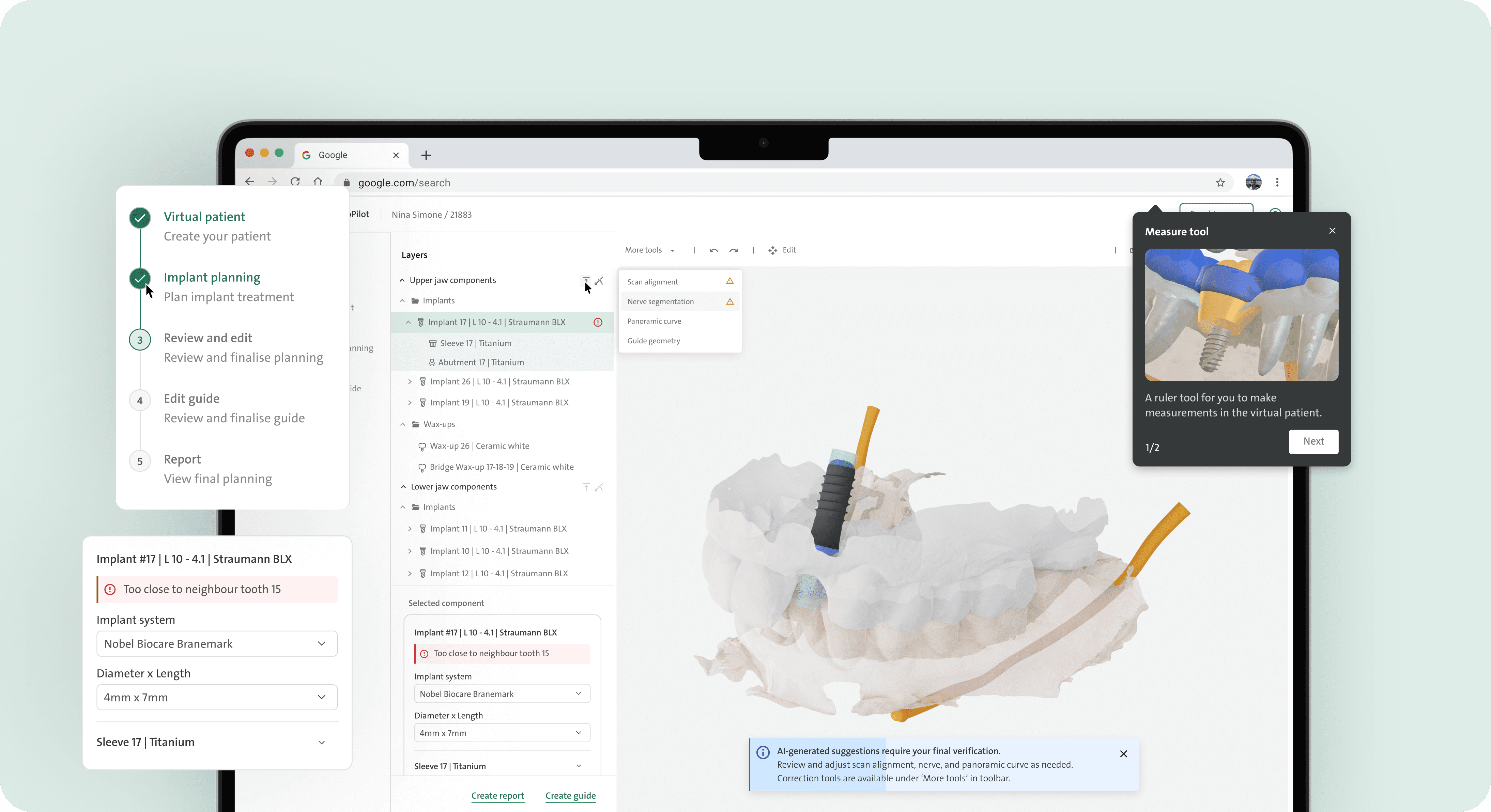
Redesigned a 3D tool used for surgery planning
This product sits at the intersection of healthcare, AI, & software design, designed as part of a larger digital ecosystem.
Team
UX Designer (Myself)
Sr. UX Designer
1 Product Manager
1 Product owner
3 Frontend Developers
3 Backend Developers
Role
Research
Conceptualisation
Design
Prototyping
Usability testing
Dev hand-off
Client
Leader in Dental Healthcare Europe and America
Designed for
Medical Software
B2B and B2C platform
Timeline
4 months, 2025
* Client specific details are concealed or substituted with placeholders due to NDA *
Overview
Redesigned an AI-powered 3D tool that supports planning for surgeries by using 3D imaging, editing tools, clinical rules, and practitioner expertise.
Goal: Help dentists plan safer and more predictable surgeries. From a product POV– to give dentists the right level of editing tools, simplify the interface, and optimize collaboration while accounting for real clinical workflows & regulations.
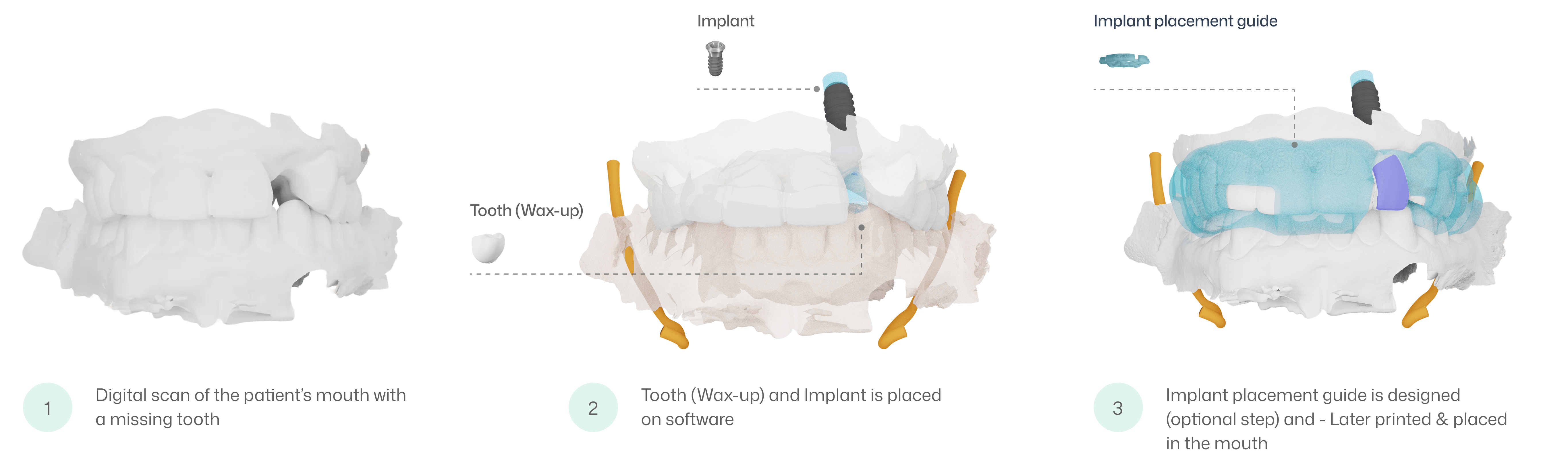
What is digital planning in dentistry 🦷 💻 ?
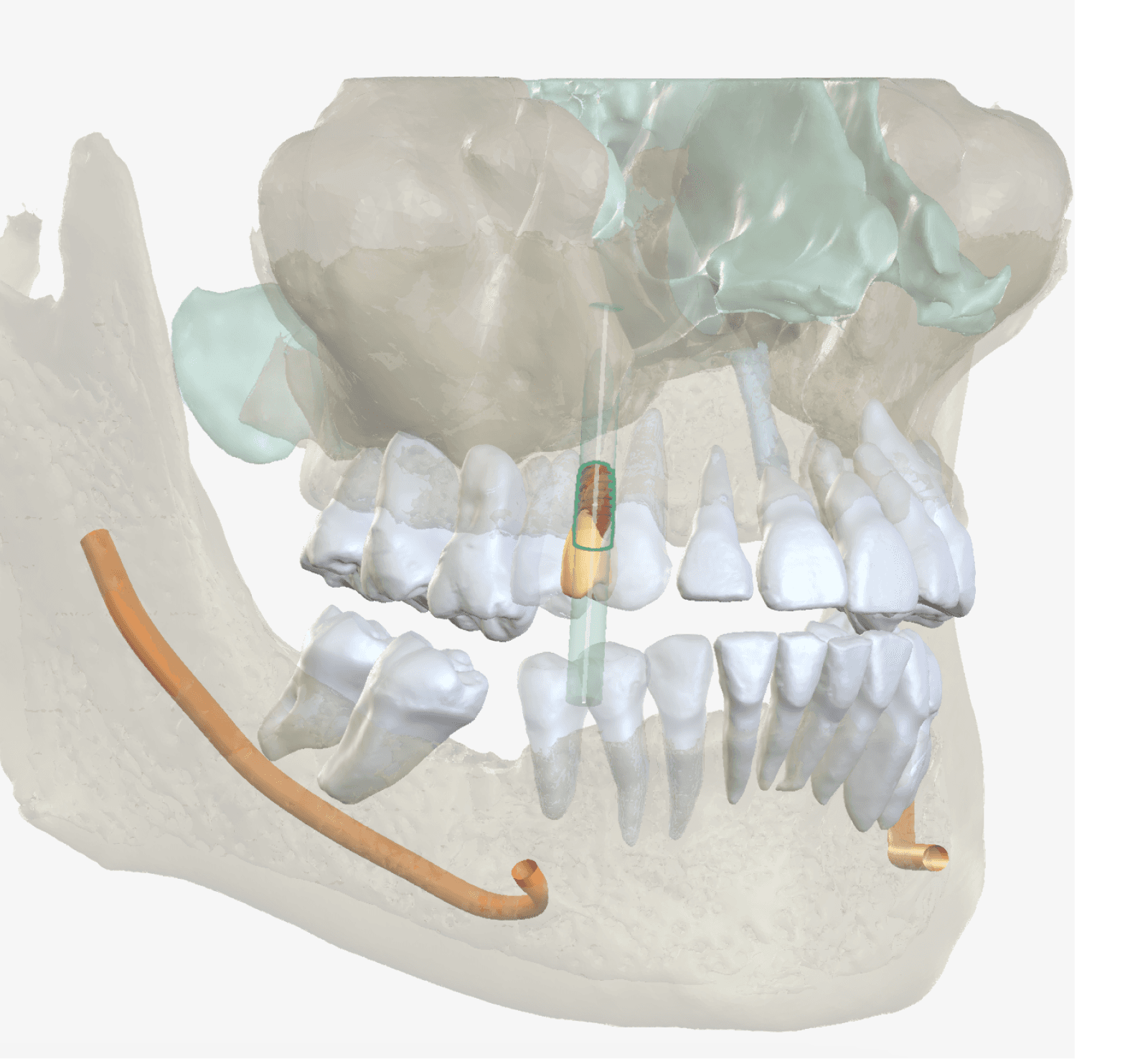
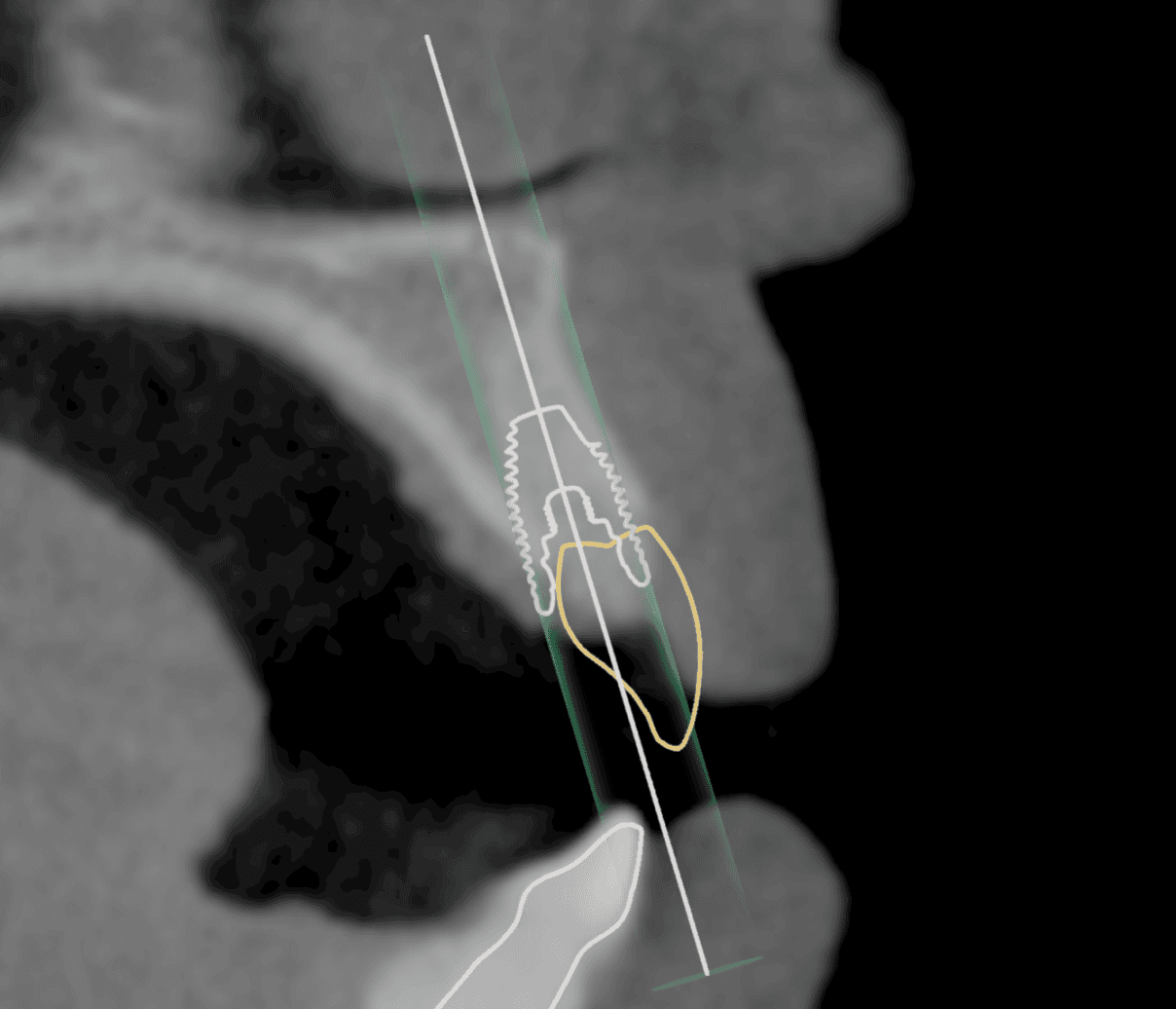
In digital planning, the dentist takes 3D scans of the patient’s mouth and uses 3D software to safely plan the position of the tooth, implant, and implant placement guide - avoiding damage to nearby teeth, roots, and nerves.
Importance of 3D Planning in Surgery 🥼🚨
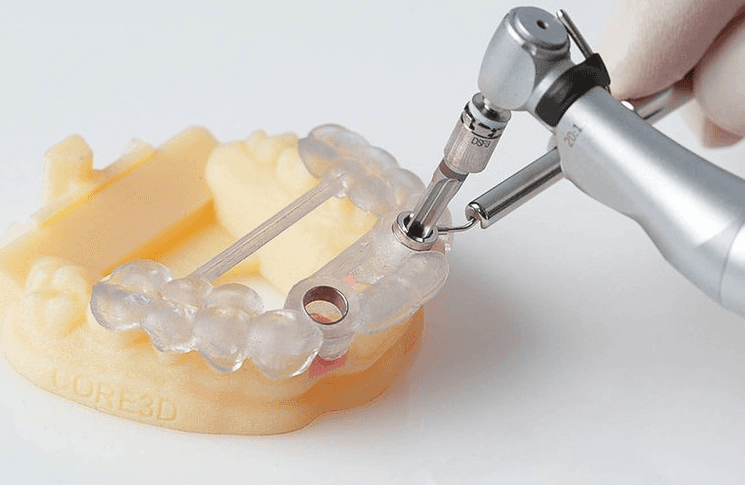
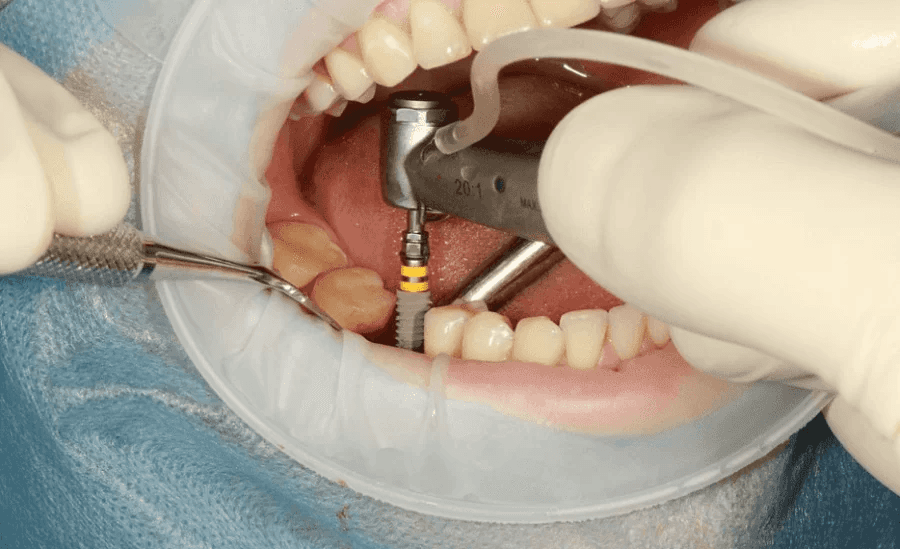
We visited clinics to see how 3D planning translates into real surgeries, helping anchor design decisions in surgical constraints & time-critical workflows.
Surgical decisions rely heavily on planning
Virtual plans directly define how surgery will take place, with very little room for change.
The cost of planning errors is high on surgery
Any errors in planning can cascade into real-world patient health risks
The better the plan, the smoother the surgery
Good 3D planning makes surgery faster, safer, and more predictable.
So, what is the problem exactly?
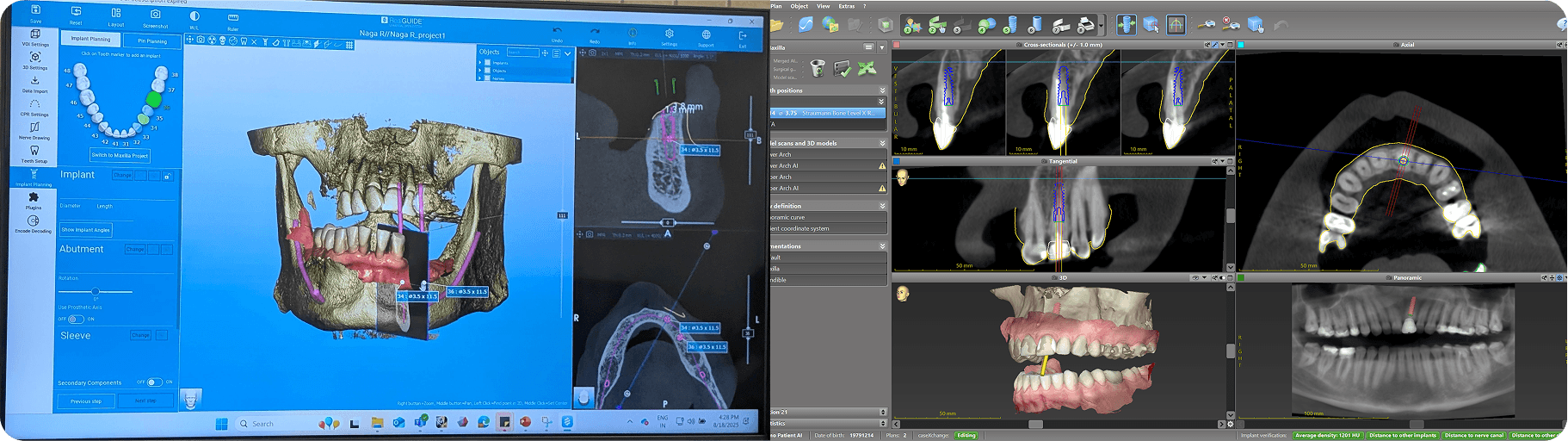
75% of a dentist's time goes into digital planning on 3D softwares & only 25% on the surgery. This is due to outdated, complex “do-everything” legacy tools.
Even the basic tools are poorly designed, overcomplicated and slow. With caseloads reaching 300- 800+ annually, small inefficiencies become massive bottlenecks
But.. the client had a half-baked solution 🚧 for the issue of complex softwares..
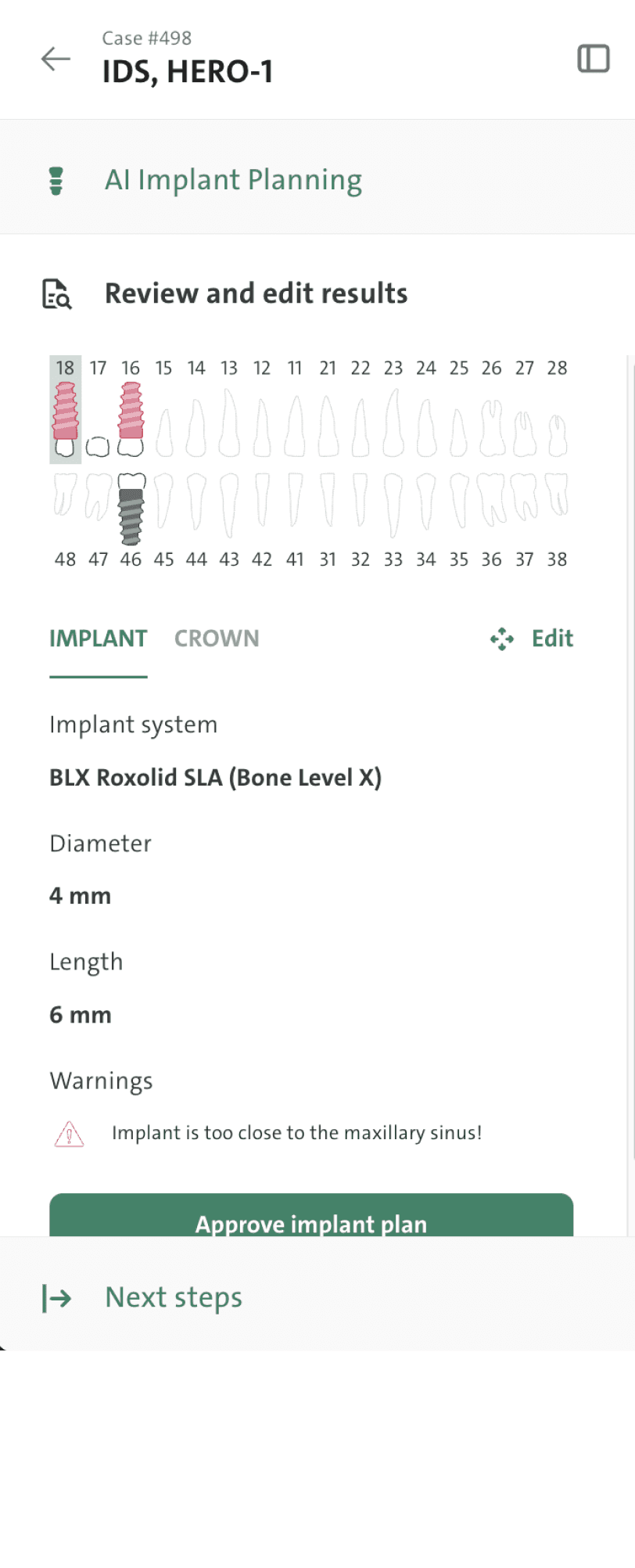
Implant Copilot - an AI-powered 3D tool 🏗️
It automates time-staking steps, eliminates outdated features, & simplifies the UI.

150
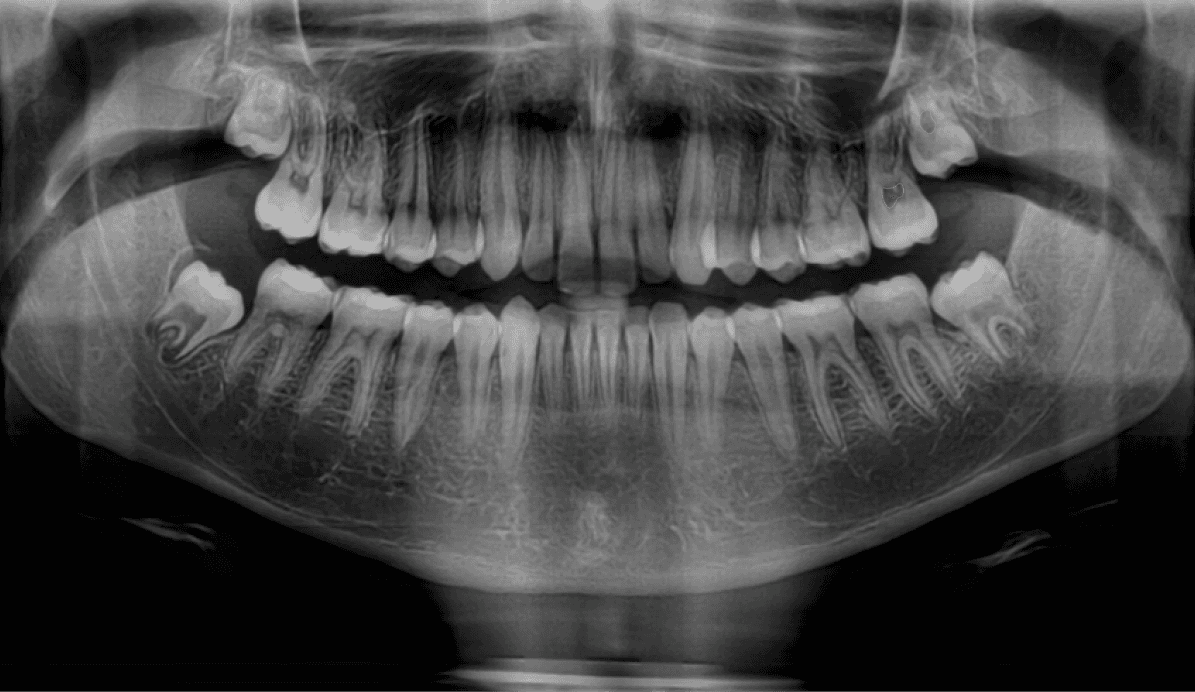

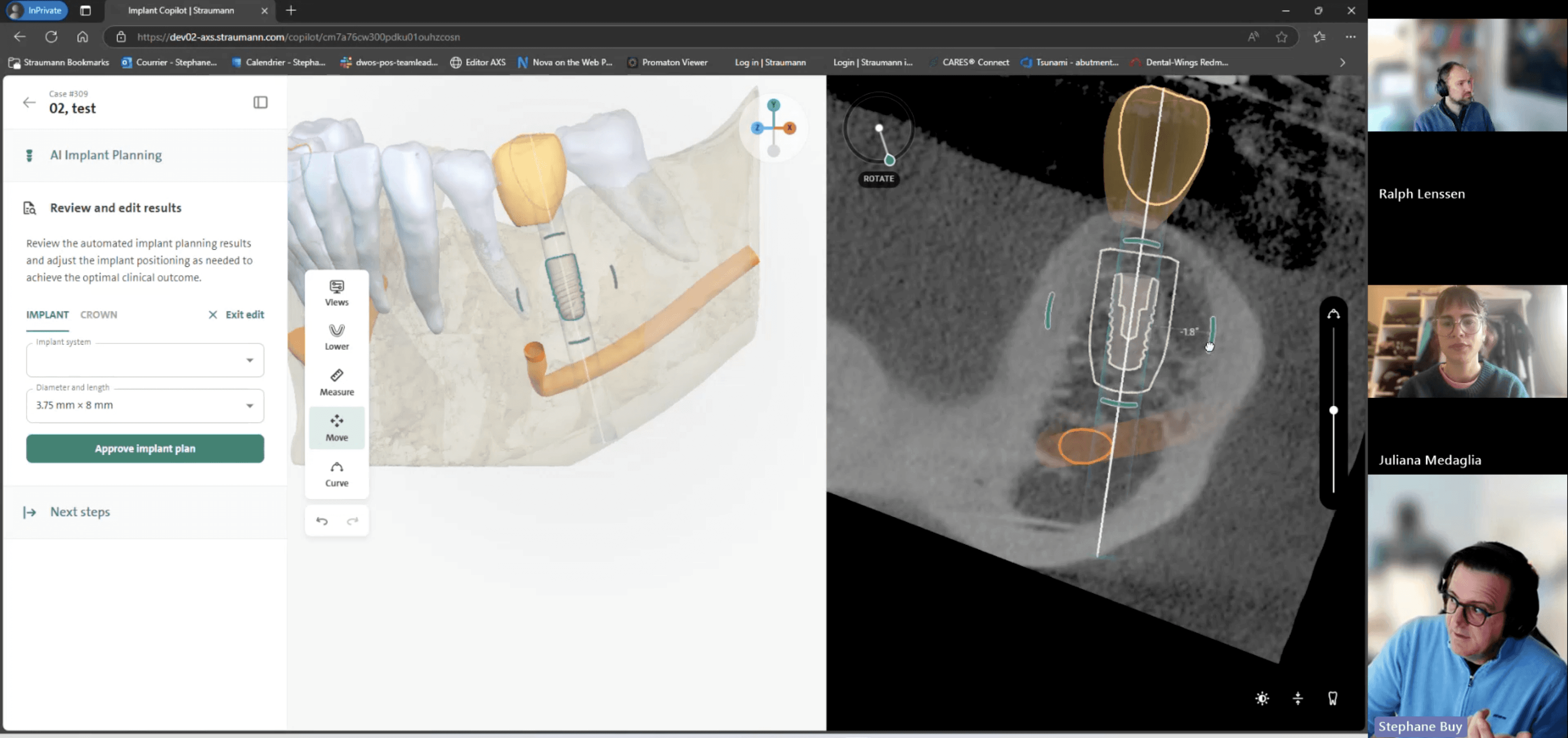
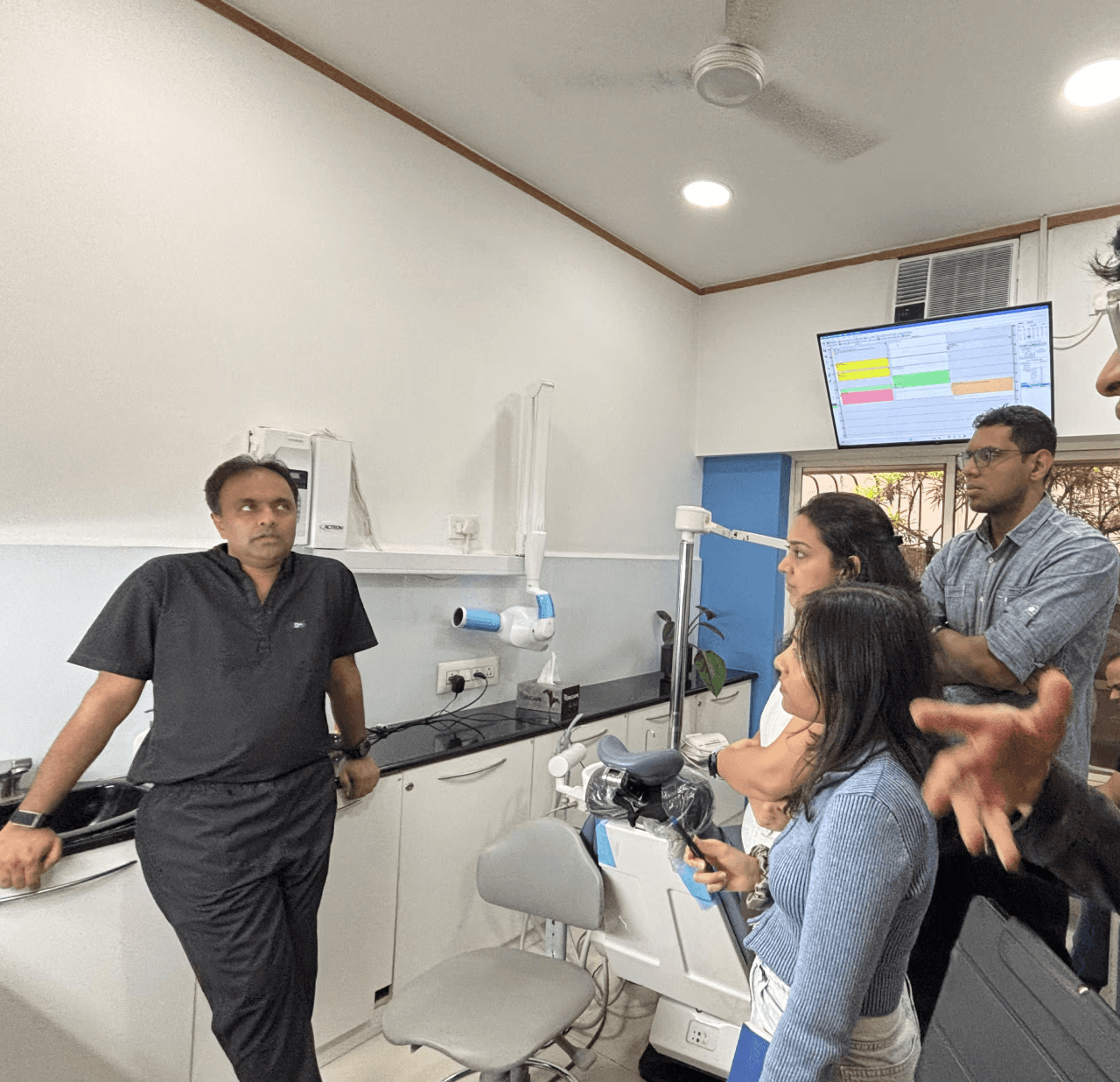
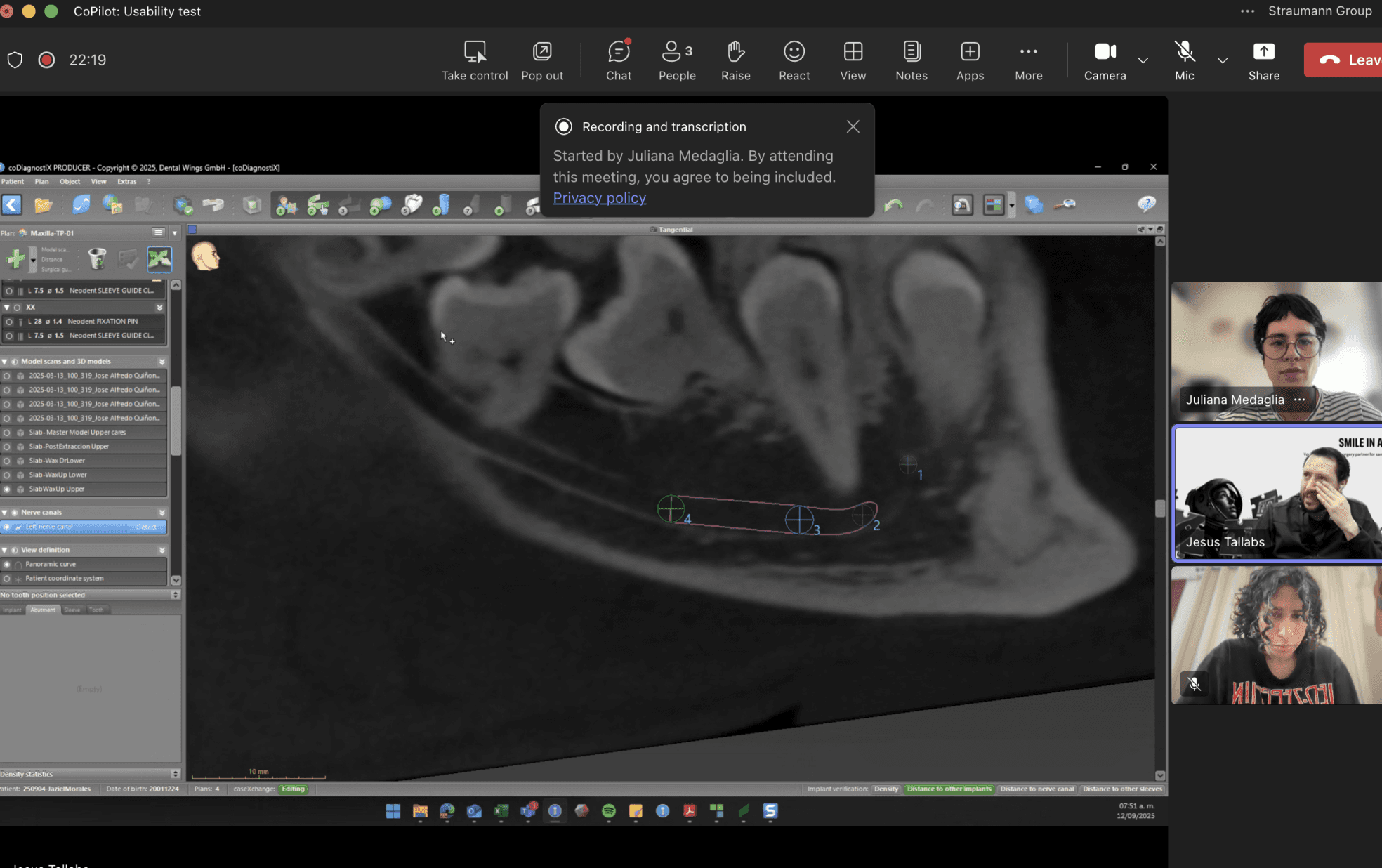
After auditing Implant Copilot and interviewing 14 users from Slovenia, Portugal, India, the Netherlands, and the US, along with clinic and lab visits in India, we found users were still dissatisfied.
How were our users suffering even with a simpler UI and AI generating results faster?
AI can assist; but not decide
In the current workflow, AI produces results in 10 minutes, but users are compelled to use complicated software to modify the AI recommendations because there are few editing tools and no agency for dentists. This results in the same drawn-out, annoying user flow.
UX issues exist, but
Regulation isn’t a suggestion
and Business isn’t an option
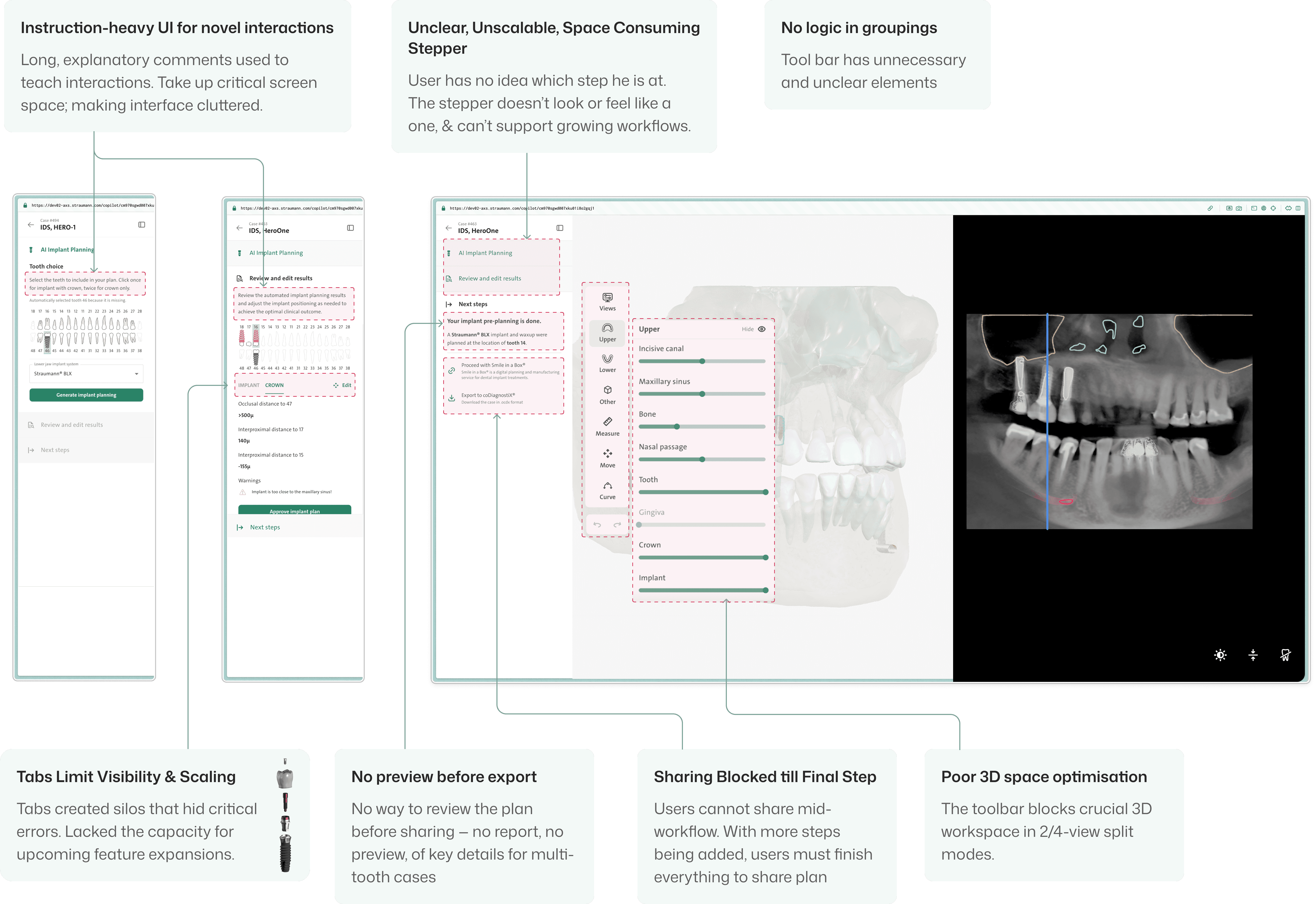
We uncovered multiple usability issues; however, in healthcare, every design decision comes with legal baggage. Solutions had to align with legal, business & product vision.
UX Issues
Limited editing capabilities
Onboarding for new experiences
Legal Considerations
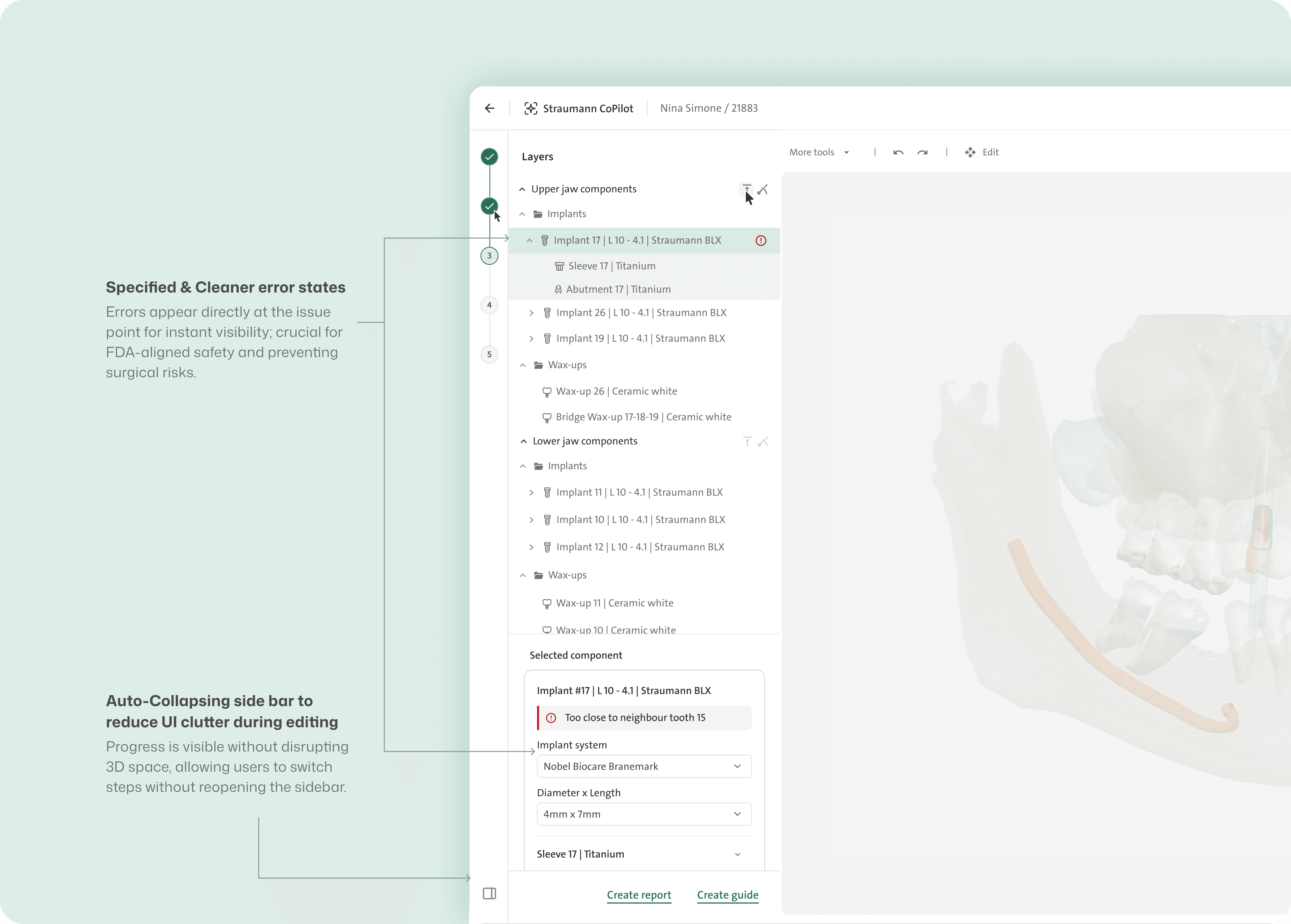
AI errors must be clearly visible
User is the final decision maker
Business Goals
Product scalability & long-term growth
Redesign approach :
Design for simplicity in a legacy-heavy space and make the system easier to understand - without taking agency away from the user.
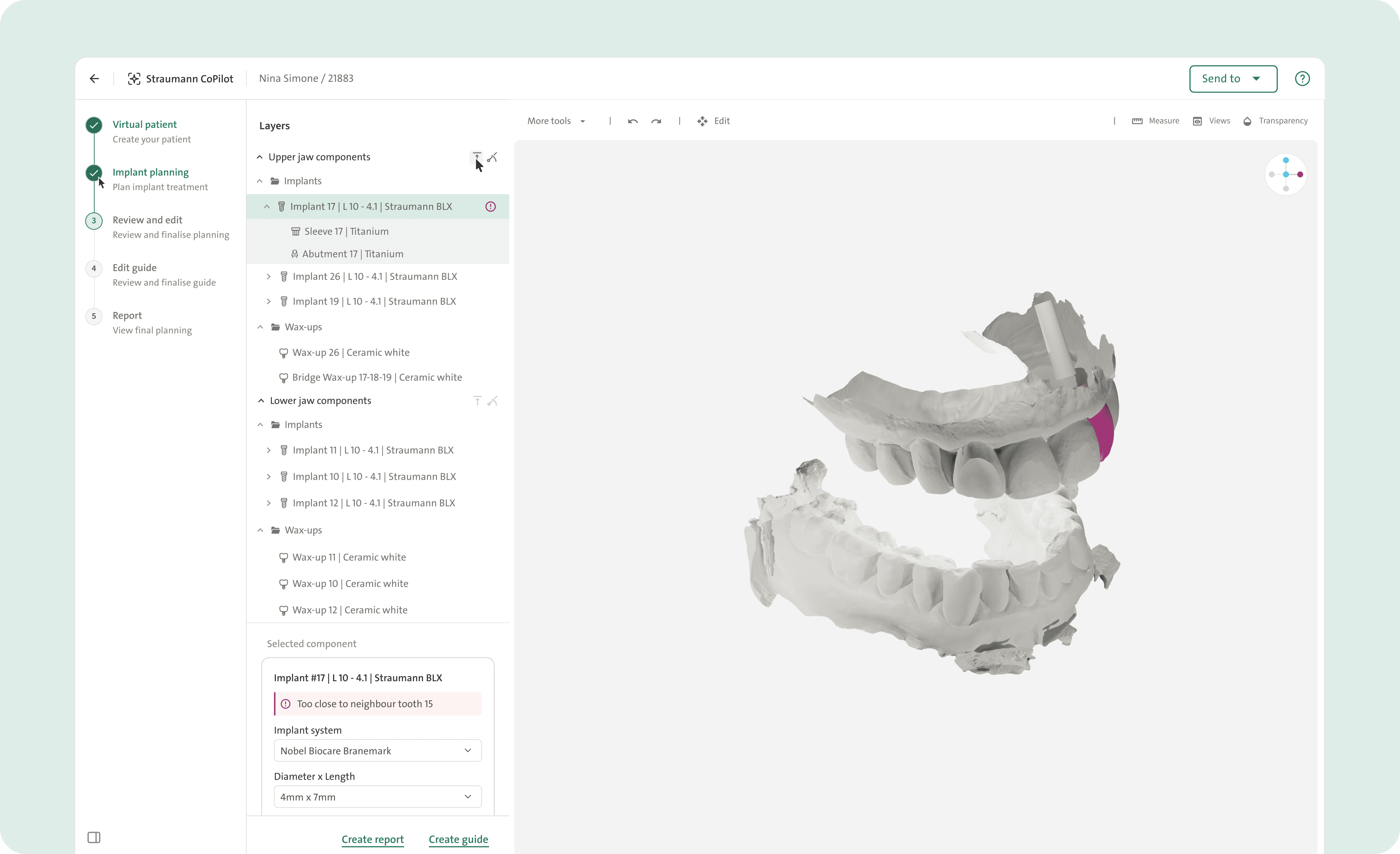
Smallest-Screen First Approach
Designed the software for 1280 × 720px to keep the 3D workspace usable and smoothly scale to larger screens.
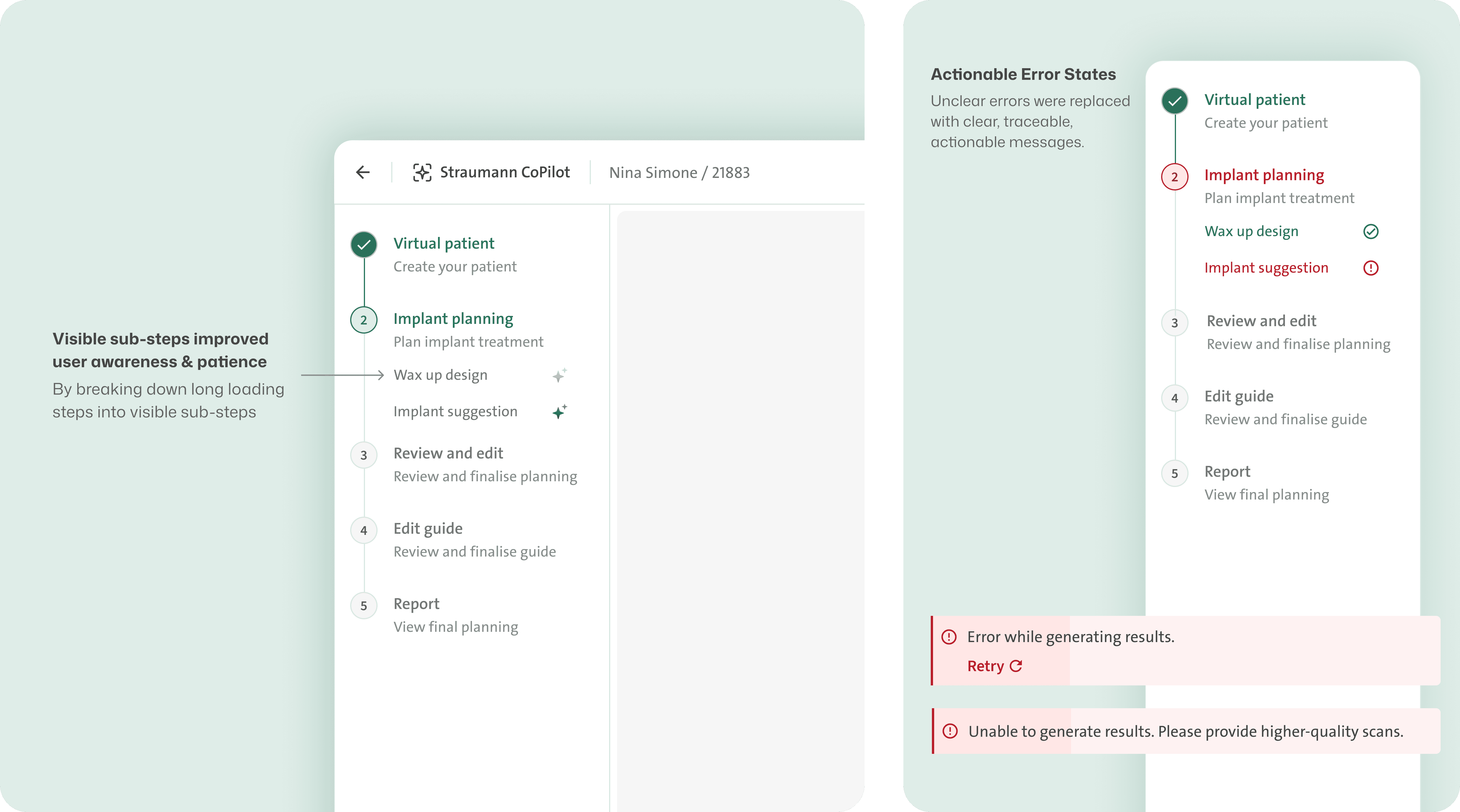
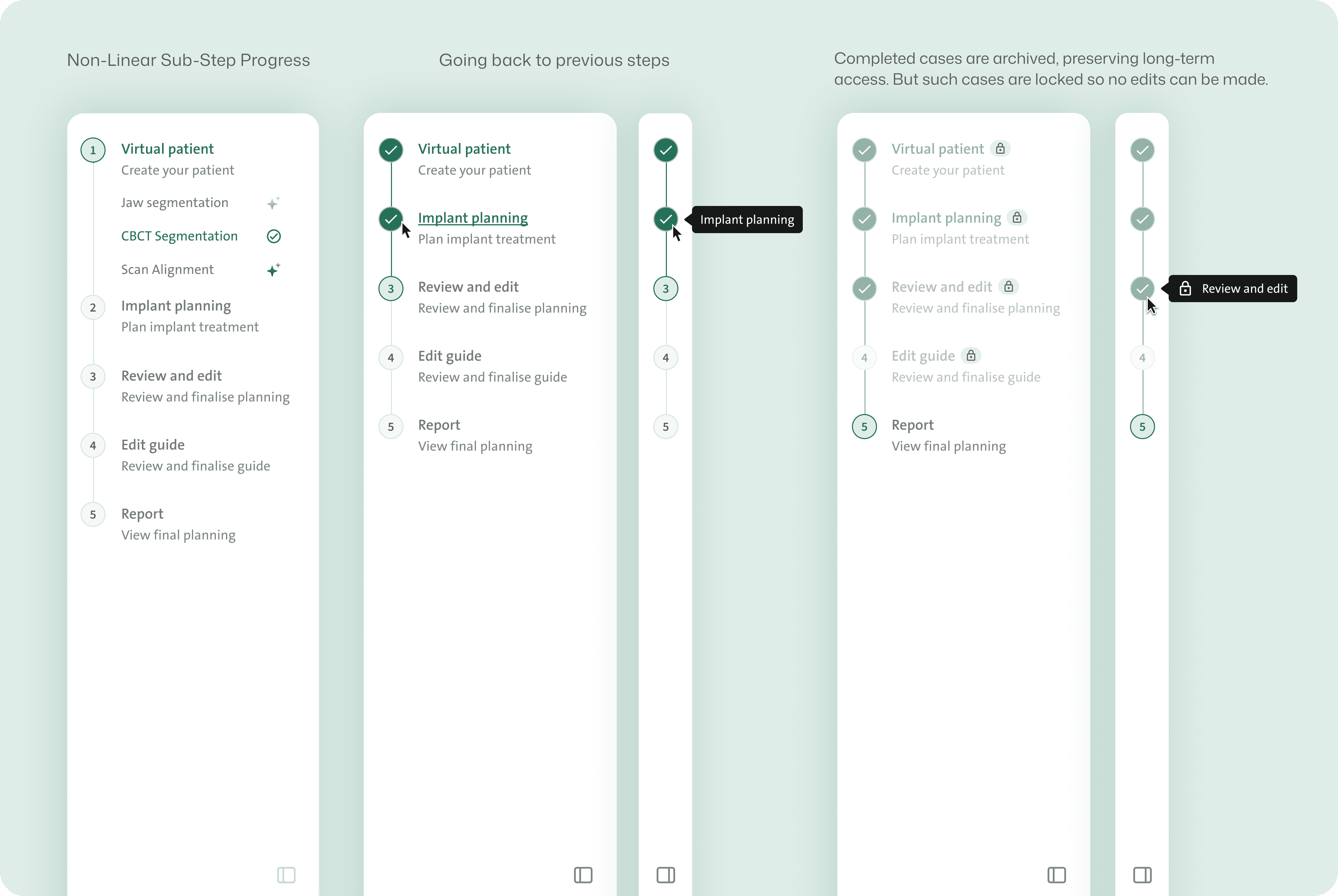
Collapsable sidebars for Maximising
3D Workspace
Sidebar stepper auto-collapses to maximise 3D space during non-interactive periods.
Designed a Scalable Layers Model to Replace the Limiting Tooth Chart
Future Scalability: The layers system easily allows new components to be introduced in the future helping with product and business vision
Rules for Layer and 3D interactions
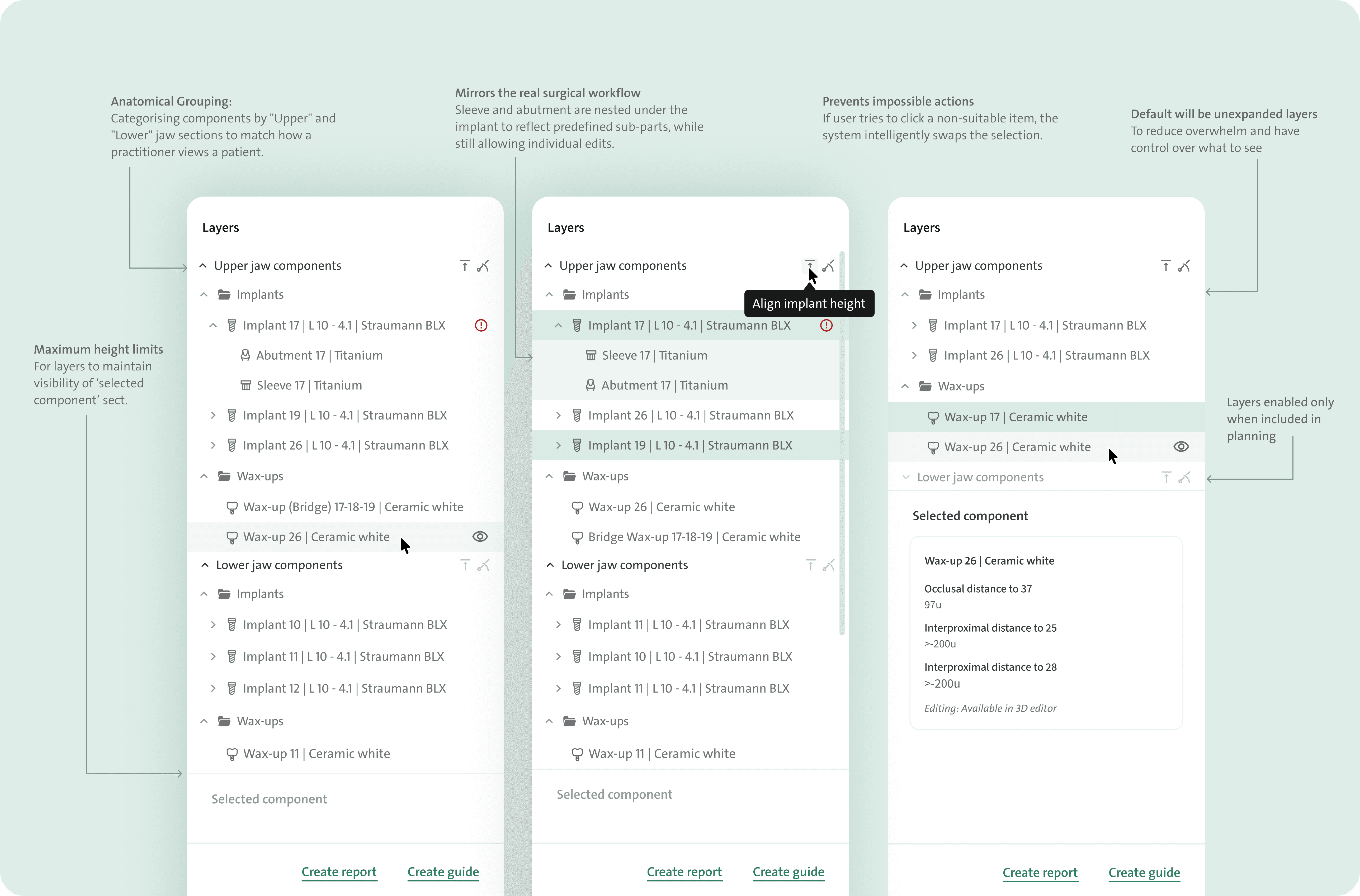
From unscalable tabs to scalable layers and editing system
Contextual Edit Box: Appears only when a component is selected, reducing clutter and showing details solely when needed.
Partial Editing Logic: The box uses partial editability (editable implant fields vs. uneditable sleeve details) to ensure data consistency
Old design
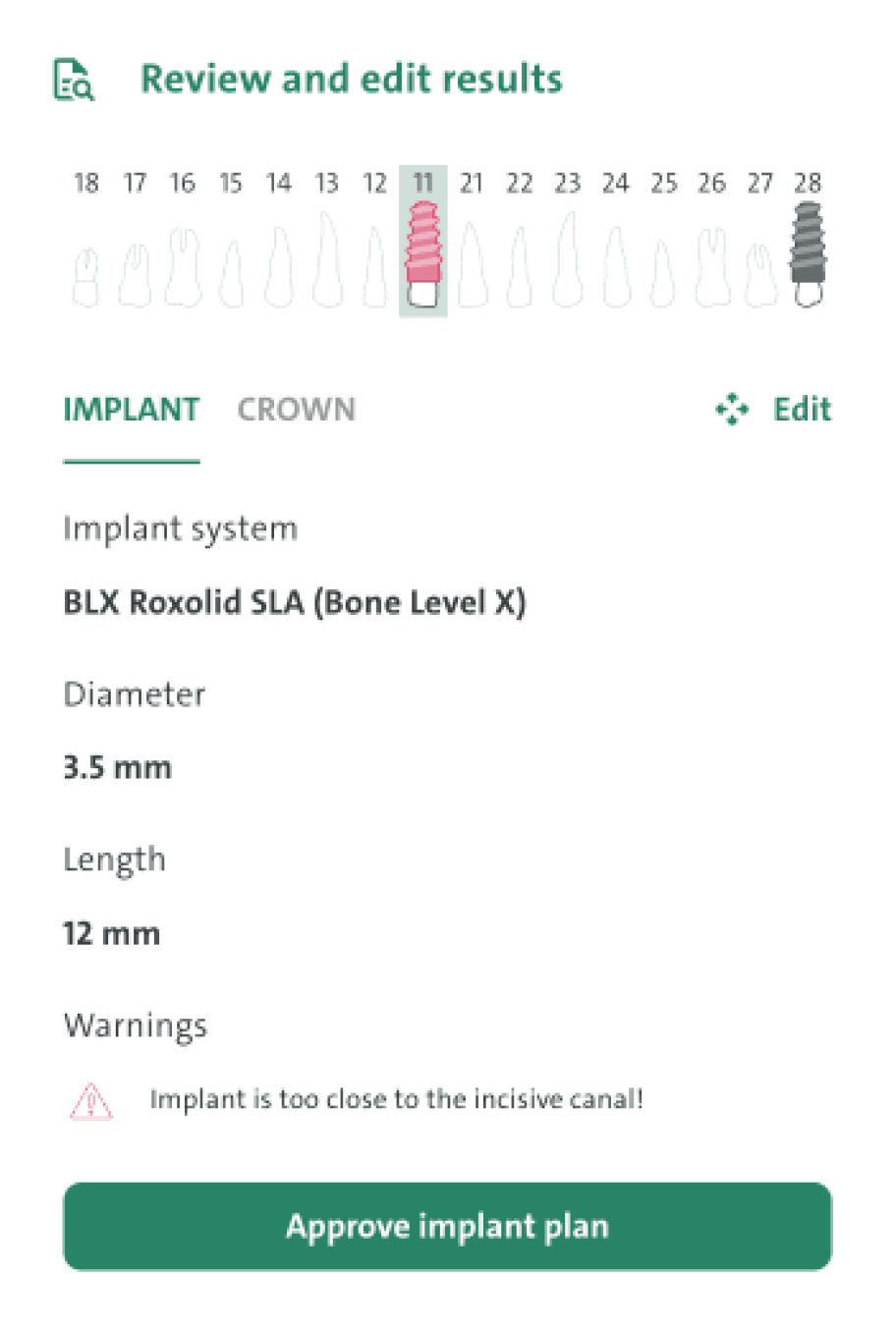
Teaching a new user a new interaction & defining the feature logic
Designing 3D and 2D Interactions for Implant Guide editing
🪟 What Are Inspection Windows?
Inspection windows are small openings on the implant guide 3D model that let dentists visually confirm if the guide is fully seated, requiring precise placement during digital planning. Hence, how the windows will be interacted with, not only in the 2D left panel but also in the 3D editor, needed to be defined.

Figma make ✨
Prototype of 3D behaviours for dev teams
Developed beta version 🧑🏻💻
Beta version focused on validating the technical feasibility
The beta revealed several issues: ❌
the darkened centre area reduced visibility
the cylinder window's colours lacked contrast on darker surfaces.
The diameter/height controls weren’t clear enough.
Iterations
Diameter and height are editable directly in 3D using intuitive handles
Brighter green with white outlines improves visibility across light & dark surfaces
The cylinder’s lower half is transparent for clear visualisation.
Finalised design
A more interconnected ecosystem
The fixed "Send to" button connects users directly to other internal tools and products of the client.
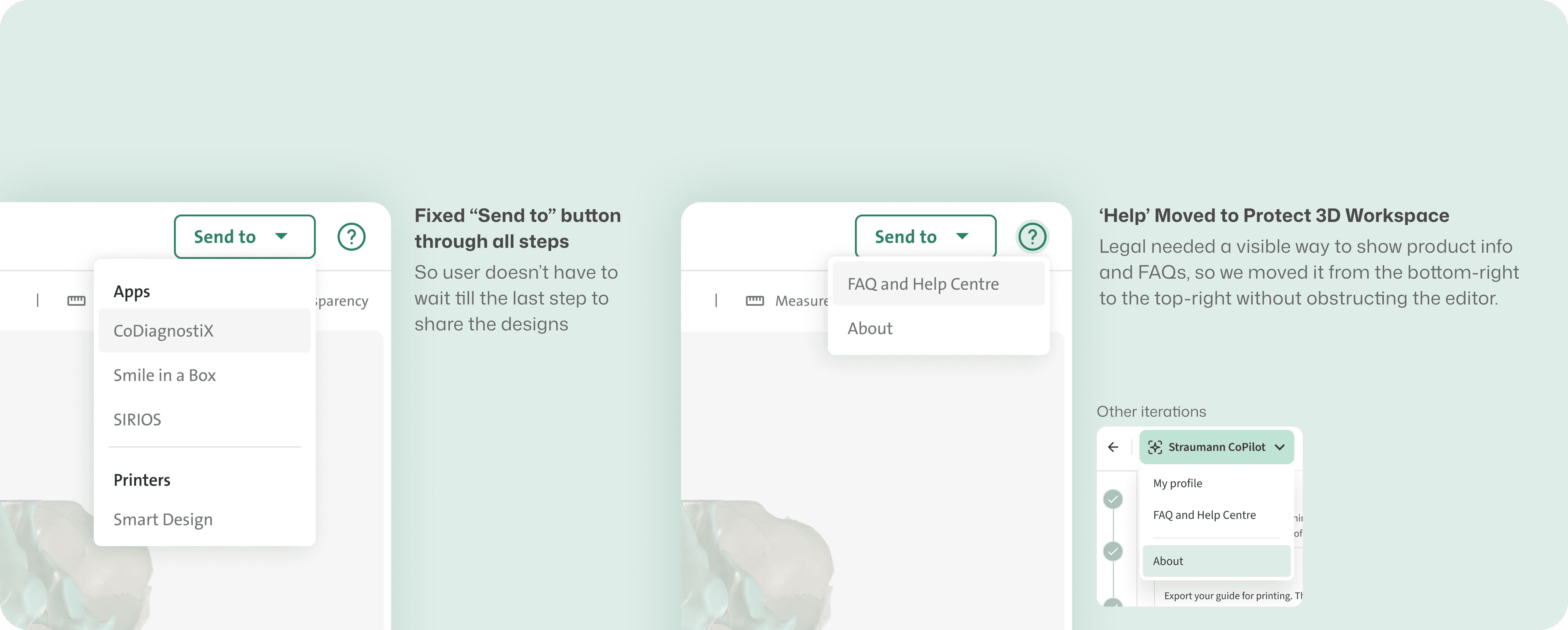
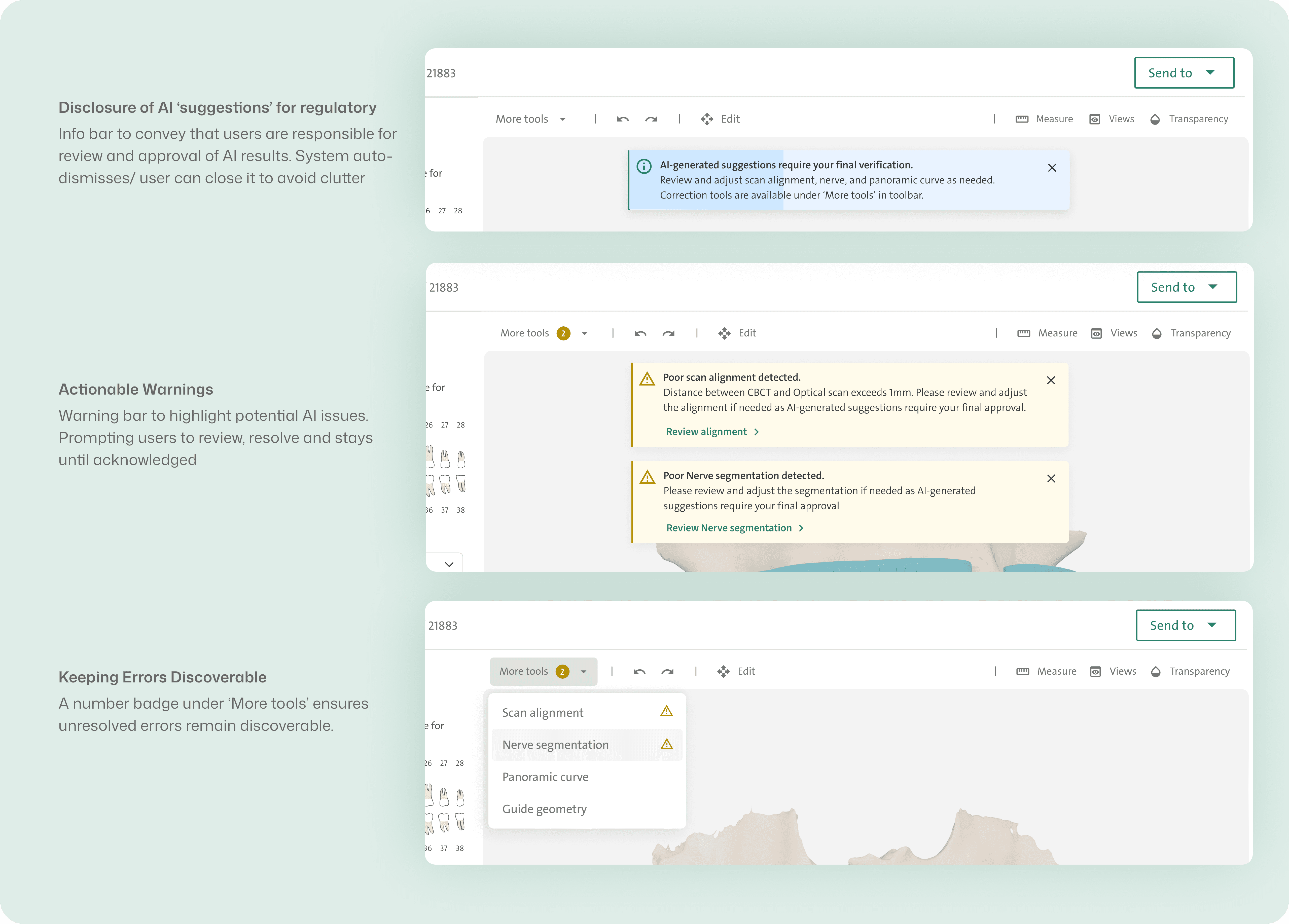
Balancing Legal Requirements and User Experience
Optional tools were tucked under 'More tools' to keep the workflow fast. But some new users seemed to overlook them.
Impact
50-70%
faster case planning.
Reduced planning time from 60–90 minutes down to 30–45 minutes per case.
266–416hrs
saved per year for users.
(Those planning 800–1,000 cases/year benefit the most.) And 100–150 hrs saved/ year for simple case practitioners.
2× faster
file import & setup.
Cut sharing + coordination steps from 10 steps → 5 steps, each step significantly more intuitive and faster.

My takeaways from this..
Mirroring the physical world on screen
The importance of deeply understanding how digital tools map to real-world workflows.
Designing within strict regulatory constraints
FDA and MDR Class III (high risk) approvals are slow and highly regulated, and Premarket Approval (PMA) requires rigorous clinical evidence. Features need to be intentionally simple for initial approval while still being designed with future scalability.
Early and continuous developer collaboration
With complex 3D interactions, clarity comes from building and testing—rapid prototyping and early feasibility checks work better than waiting for perfect designs.
Designing systems, not just screens
This project reinforced that complex tools require clearly defined interaction rules and states. Thoughtful system logic makes advanced workflows feel predictable and learnable.
In healthcare, good design is rarely about perfect solutions.
It's about making trade-offs visible, reducing risk incrementally, and knowing when not to change something yet.
Learning PRD collaboration
As the team was relatively new to cross-functional collaboration with a design team, I learnt to write product and feature requirement documents, often consolidating inputs and aligning with PMs, POs, and design leads to support smoother design collaboration.